
Where to Find Your First Gems in The Veil
You can find gems at trinket spawn locations in settled hubs and in scattered exploration chests throughout the maze. If you already have a gem, you can take it to be enchanted right away without needing to look for legendary gems first.
Search upper floors of settlement houses, the corners beside merchant barrels, and the back rooms near blacksmith workshops for trinket spawns. Any surplus trinkets and materials you gather along the way can be sold to town merchants to build the Silver reserve needed for enchanting fees.
Traveling to Sky's Reach and Rolling at Starry
If you need specific gems beyond what you find in settlements, Starry operates a gem roll service atop Sky's Reach. To make the journey, carry at least one spare travel gem in your inventory that you do not mind giving away for passage, keeping your intended weapon gem separate.
Navigate the maze until you find the Shimmering Sanctum, recognizable by its clusters of glowing colored crystals. Register the Shimmering Sanctum Waypoint upon arrival so you have a quick return anchor. Approach the crystal-headed NPC Sopphron and hand over your travel gem to travel up to Sky's Reach.
The moment you step onto Sky's Reach, interact with the Sky's Reach Waypoint to unlock direct teleportation for all future visits. Follow the pathway into the central hall to find the pink crystal-headed NPC Starry.
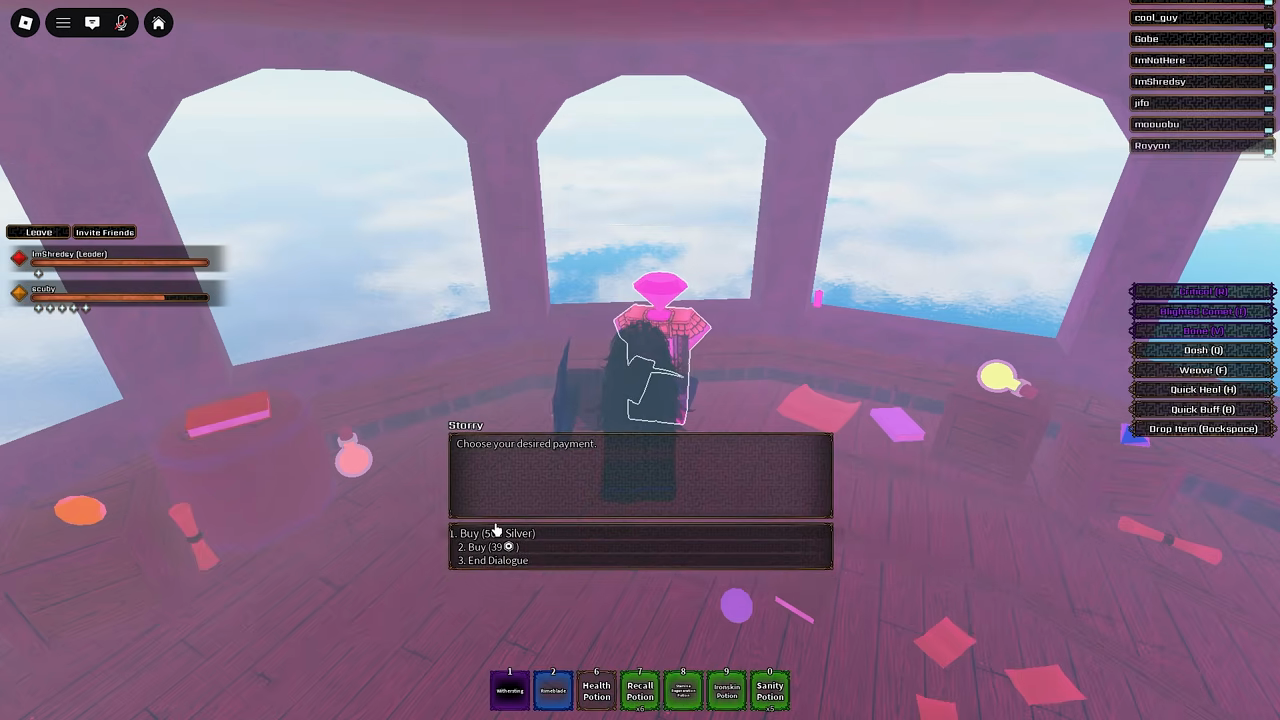
Interact with Starry to browse the possible gem list or purchase a gem roll for 500 Silver. Received gems go straight into your Gems inventory bag.
Applying Your Weapon Enchantment with Jonathan
Weapon enchantments are applied by Jonathan, located at the settlement forge marked by a Blacksmith sign, an anvil, weapon racks, and displayed armor sets. You do not need to travel to Echohold or search for Bobby for this service.
Equip the Gem to Your Hand
Open your inventory, click the Gems category, and equip the gem into your active hand slot.
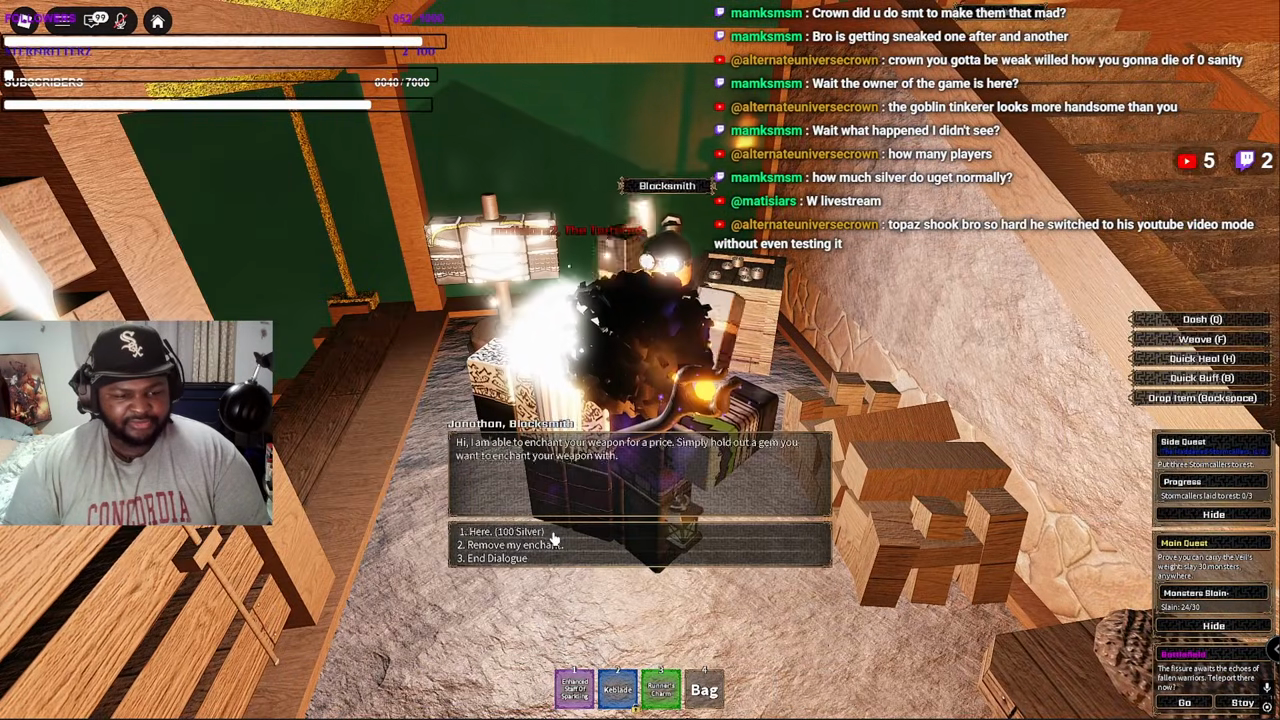
Talk to Blacksmith Jonathan
Approach Jonathan at the blacksmith forge and start dialogue while still holding the gem.
Select the 100 Silver Service
Choose Here. (100 Silver) to pay the fee and apply the elemental enchantment.
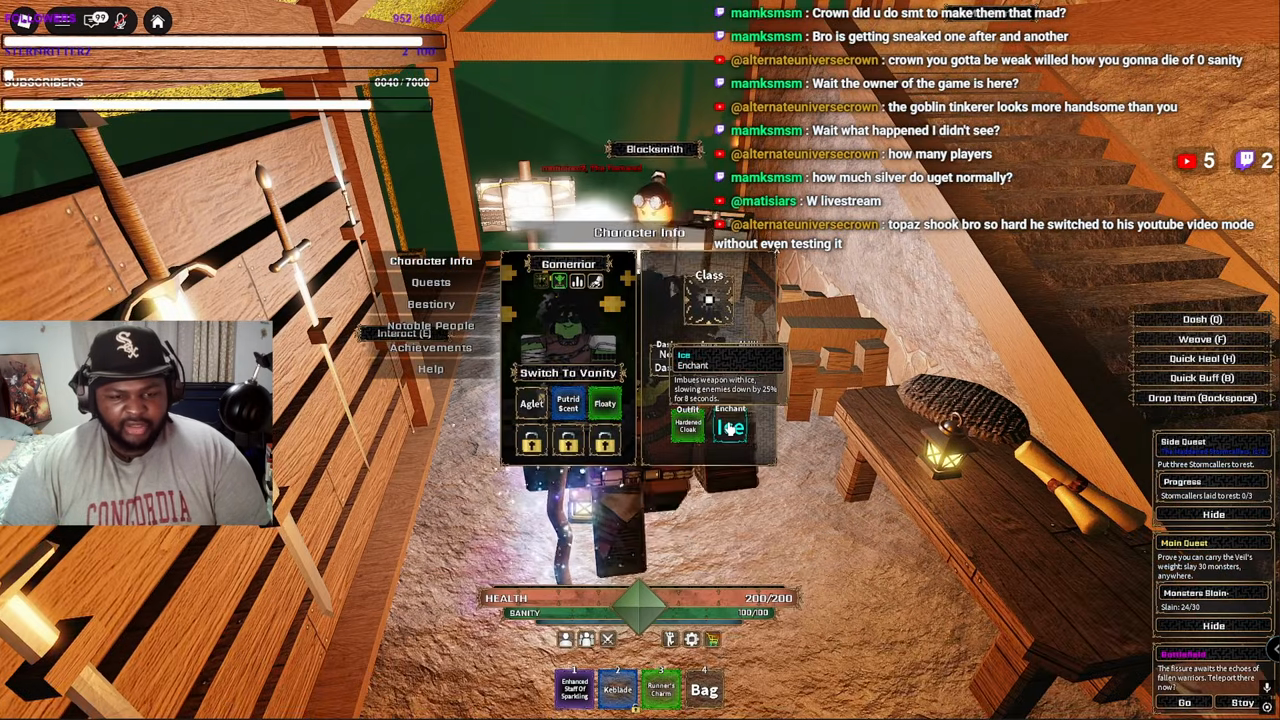
Verify in Character Info
Open Character Info and check the Enchant box in the bottom right corner for your active element tooltip.
Applying and Swapping Weapon Enchants at Jonathan
Preview in-game menus, stats, routes, and gameplay footage.
Playing loads YouTube’s video player. You can also open the original video.
Choosing Between Core Gems and Elemental Effects
Every weapon enchantment applied through Jonathan is character-wide, meaning it applies to all weapons you equip. You do not need separate gems or extra Silver when switching between primary and secondary arms.
Common gems provide targeted combat utility ranging from crowd control to sustained damage over time. Advanced gems like Opal and Onyx add burst shattering or visual disruption for specialized builds.
| Gem | Enchant Name | Combat Effect | Tactical Use |
|---|---|---|---|
| Topaz | Light | Inflicts 1.5s blind on players; deals 5 damage and inflicts Fire on monsters | Offensive burning against PvE mobs and visual disruption in PvP |
| Ruby | Fire | Applies continuous burning fire damage to struck targets | Direct damage over time pressure during extended fights |
| Emerald | Poison | Inflicts persistent poison damage on hit targets | Sustained attrition against high-health enemies |
| Sapphire | Ice | Applies a 25% movement speed slow for 8 seconds | Kiting enemies and creating spacing for ranged attacks |
| Opal | Null | Forms crystals on targets that shatter for bonus damage | Burst damage follow-ups from shattering crystals |
| Onyx | Shade | Inflicts darkness blinding visual disruption alongside damage | Offensive disorienting strikes in combat |
Removing and Swapping Your Active Enchant
To change your elemental effect, return to Jonathan at the forge and select Remove my enchant during dialogue. Jonathan will confirm that the enchantment has been stripped from your weapons.
The safest procedure for swapping effects is to hold your replacement gem and at least 100 Silver in advance. Clear your existing buff through Remove my enchant, equip your new gem into your hand, and immediately purchase the 100 Silver service again.
Troubleshooting Gem Quests and Enchantment Failures
If your blacksmith quest objective fails to advance or Jonathan will not accept your interaction, check your character hand first. The gem must be held in your character active hand rather than kept inside your inventory bag.
Gems and Enhancement Tomes reside in separate inventory tabs. Tomes cannot be used for Jonathan's gem quests; individual tome tooltips specify their compatible equipment class, such as Mystic V for Cast weapons, and Legendary Tomes must be brought to The Hammer.
Ensure you have at least 100 Silver in your wallet when speaking to Jonathan. Rolling a gem at Starry on Sky's Reach satisfies only the acquisition step; you must still complete the separate 100 Silver service at the forge to finish the quest chain.
Confirm that you are interacting with Jonathan at the Blacksmith forge rather than Bobby in Echohold or unrelated settlement traders.
Using Legendary Enhancement Tomes
Follow the complete walkthrough to find The Hammer in The Pale, finish Ugly Work, and apply tomes to matching weapons and gear.
Equipment Guide
Distinguish weapon enchanting from accessory and armor enhancement.
Beginner Guide
Review core quest milestones, settlement vendor routes, and Silver management.
Weapon Mastery
Learn how weapon mastery unlocks new weapon skills.
Quick answers
Do weapon enchants apply to all weapons or just the one in hand?
Enchantments applied through Jonathan cover all weapons equipped on your character. You do not need to reapply or spend extra Silver when switching between different weapons in your loadout.
Can I use an Enhancement Tome instead of a gem at Jonathan?
No. Enhancement Tomes belong to the Tomes tab and cannot replace gems at Jonathan. Tome compatibility depends on individual tooltips—including weapons for tomes like Mystic V—and Legendary Tomes require unlocking The Hammer in The Pale.
What is the difference in cost between Starry and Jonathan?
Starry charges 500 Silver per roll on Sky's Reach to generate a random gem. Jonathan charges 100 Silver at the settlement forge to apply a gem you already possess.
Where can I see which enchant is currently active on my character?
Open your Character Info menu and look at the Enchant slot in the bottom right corner. Hovering over the slot displays the active element name, duration, and effect values.
Gameplay sources & further reading
- Crown Trone - GEM TIER LIST WHICH ONE IS BEST EARLY GAME IN ROBLOX THE VEIL! (2026-09-06)
- Shredsy - How To FARM LEGENDARY Gems + Location! (2026-09-08)
- NEFU - All Epic + Legendary Enchants Showcased (2026-09-07)
- DeadEye Davy - Enchant Quest Guide (2026-09-05)
- The Veil Official Developer Q&A - Mat (2026-09-06)
- Co-Owner: enchantments apply to all weapons
- sang — How To Use Legendary Tomes (FULL GUIDE) (2026-09-11)